Free Tool: Combine ConnectWise Invoices Into One PDF
Overview
ConnectWise PSA prints one invoice at a time. If a client gets a monthly agreement invoice along with invoices for one-time charges, there’s no built-in option to combine them. We can’t change PSA’s behavior but we can help you print out a PDF to neatly combine everything onto one PDF. We put up a free page that does the most typical method of combining: enter 2 to 10 invoice numbers for the same company and get one PDF back, with all the lines combined from each invoice, along with one set of totals. If you’d rather collate the invoices or combine them slightly differently, NexNow-hosted invoices offer total customization.
Try it out at app.nexnow.dev/demo/invoice-test. There is nothing to install and nothing to buy. You confirm your email, enter a ConnectWise API key pair (we need it briefly for each PDF generation but it stays on your machine otherwise), choose the Combine invoices into one PDF option.
What You Get
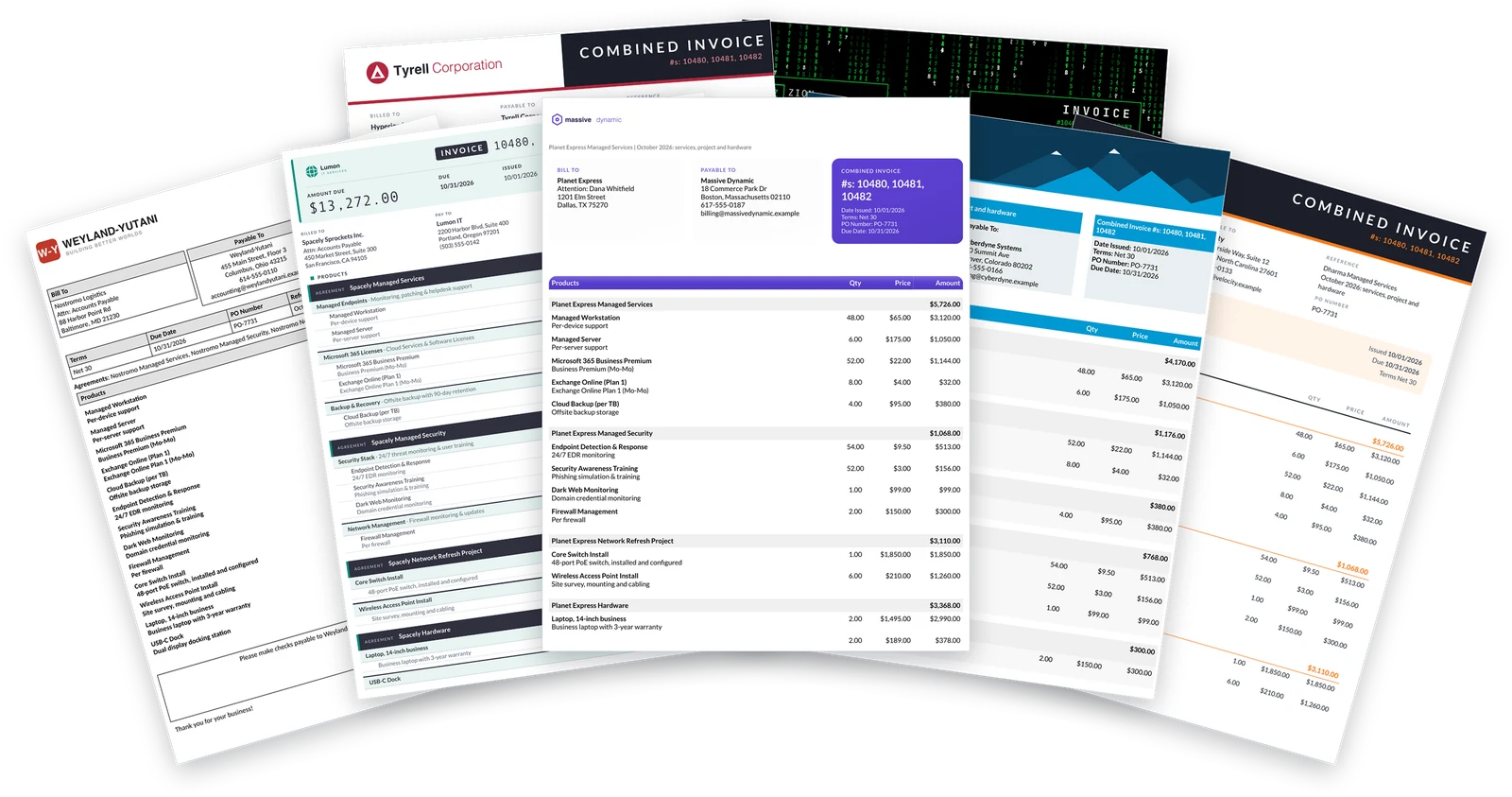
- Combined invoices. Enter 2 to 10 invoice numbers from one company. The line items from all of them are merged into one invoice with one set of totals, and it reads like a single monthly statement.
- Single invoices too. The page defaults to “One invoice”. Switch to “Combine invoices into one PDF” to merge several.
- A few sample layouts. A few designs are available to choose from. Switch layouts and create the PDF again to compare.
- Your logo and colors. Upload a PNG or JPEG logo and pick header and footer colors, where the layout supports them.
- Optional open balance report. Add the list of the client’s other unpaid invoices.
If you want more information on invoice combining, read How to Combine Multiple ConnectWise Invoices Into One.
How to Use It
- Confirm your email. Enter your name, company and work email. We send a six digit code. It keeps bots out, and allows us to follow up with you (you can unsubscribe at any time). The confirmation lasts 24 hours.
- Enter your ConnectWise details. Choose your cloud site or enter your PSA URL, your company ID, and a public and private API key. The page remembers the site, company ID and public key in your own browser. The private key is kept only until you close the tab, unless you tick the box to remember it on that device.
- Choose “Combine invoices into one PDF” and enter the invoice numbers.
- Pick a layout, logo and colors, then create the PDF. If the page is busy you will see your place in line.
About Your API Keys
Your keys are used once, for that request, to read the invoices from your ConnectWise. They are not stored and not logged on our servers, and the PDF is sent straight back to you and not saved. The page only talks to the ConnectWise address you typed in. Your name, company and email are kept so we can send your code and follow up about NexNow, including occasional updates.
We take key security seriously but please limit the access to only what is needed for the tool. Ideally, create a dedicated API member with limited read-only access, as described in ConnectWise API member for custom invoices, and disable its keys when you are done. You can generate a new set of keys for the same API member if you need to use the tool again or would like us to host your invoices permanently.
What to Know Before You Use It
- All invoices must belong to the same company. The page refuses a mix invoices from multiple companies. If you have a use case for this (e.g. child companies), we can build it into your own version of NexNow-hosted invoices.
- Check the PDF before you send it to a client. Let us know if you encounter any issues and please ensure accuracy yourself before sending the PDFs to your clients. Please note the tool does not change anything in ConnectWise, mark invoices as sent, or close them.
- Combined invoices are sorted by invoice number. Each invoice number is listed out and sorted by invoice number. This behavior can be changed on your own instance if you choose to have us host yours.
- It is a shared free page. When it is busy you may need wait in line, and each person is limited in how many PDFs they can make per day.
If you have questions about combining invoices or anything else in ConnectWise billing, the ConnectWise subreddit and the ConnectWise University Forums are good places to compare notes.
Want More Customization? Want to Add to Your PSA?
Combining by hand every month gets old. If you want combined invoices produced automatically, collated as well as merged, sent from your own mailbox or fully matched to your own layout, book a demo and we will go through it on your own invoices. You can also see how NexNow hosted invoice templates work.