New: A Service Dashboard for ConnectWise, Included with NexNow Reports
Overview
A good ticket dashboard answers the question you had before you asked it, and then lets you ask the next one. Many dashboards stop at the first part: a screen full of numbers that you can look at but not question.
We built a service dashboard for ConnectWise PSA where every number opens the tickets behind it, every card can be moved around, and the whole board can be changed to fit how your team works. Drill-throughs are instant; no need to wait around for the page to load. It runs great on a shared TV screen, and it’s just as useful in a browser tab on your own desk. You can try it right now with sample PSA data or reach out to try a free demo.
Click a Number, See the Tickets
Every number on the board is a button. Click Unassigned and a panel slides over the board listing exactly those tickets: company, board, status, owner, age and SLA state. Close it and you’re back at the board. The same goes for urgent tickets, aging tickets, first response and resolution SLA, and the slices of the chart.
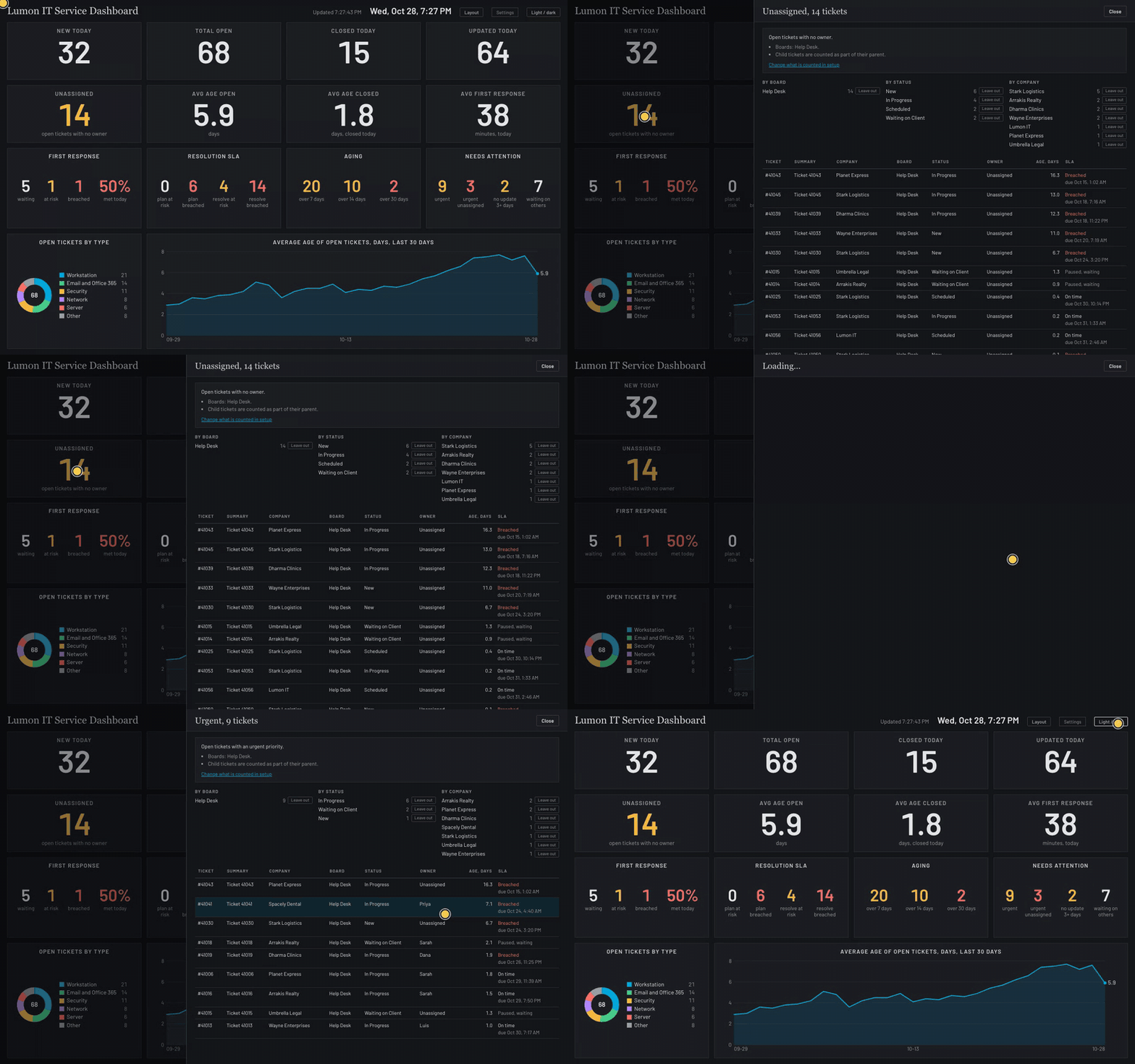
Each number also says where it comes from, including which boards it covers and which tickets are left out, with a link to the setting that controls it.
Filter Without Leaving the Board
Every MSP has tickets that shouldn’t count: an alerts board, a catch-all company, or a status that you don’t want inflating your numbers. The board lets you leave those out right from the ticket list. Open a number, find the status or company in the breakdown, choose Leave out, and pick whether it applies to that number or everywhere.
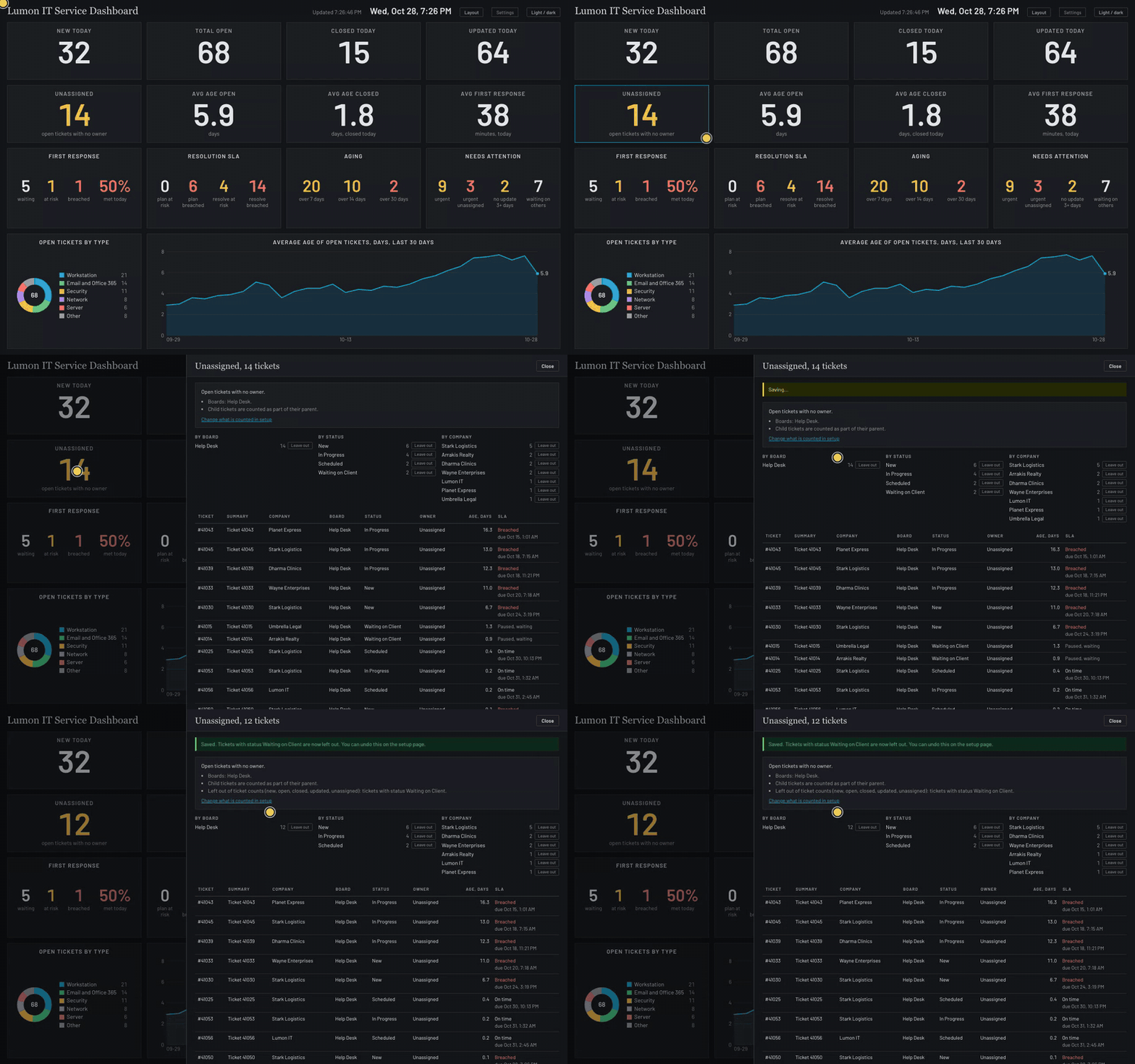
The rule is saved with your settings, so it applies on the shared screen too. The same settings page controls which boards the dashboard reads, how many days of history it keeps, and the goals that turn a number amber or red.
Arrange It Your Way
Choose Layout and every card gets a handle. Drag a card to a new spot, make a card larger or smaller, or hide one you don’t need, then save. The layout is shared by your whole company, so the screen on the wall and the one on your laptop match, and there’s a reset button that puts everything back to the default.
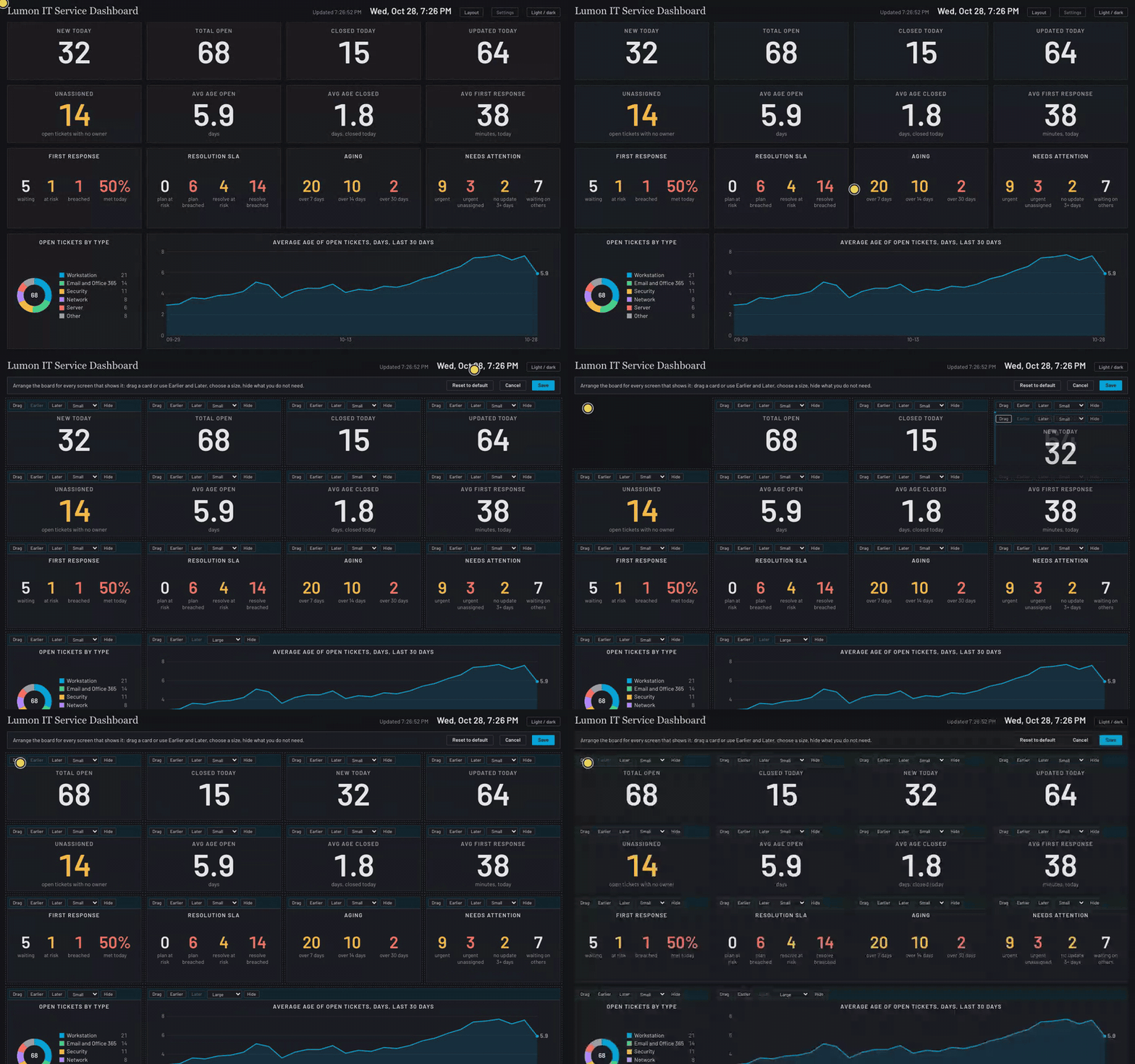
The numbers are sized to read from across a room, so it works well on a TV in the service department. But that’s only one way to use it. It’s just as handy in a browser tab for a manager checking in before a call, and the trend chart at the bottom of the board is good for a monthly review.
It Isn’t Limited to Service
While we aim to cover all the bases for a typical MSP, the included service dashboard is only the starting point. Anything beyond what it can do, such as a different card, a different calculation, or wording and colors that match your company, can be custom-made for you.
The same board can also show whatever matters to your company. Some things we will be adding in the future or you can have us build for you:
- Sales: open opportunities, forecast by stage, and quotes waiting on a reply.
- Projects: projects over budget, hours remaining, and tickets on the projects board.
- Billing: unbilled time and expenses, agreements that changed, and invoices waiting to be sent.
- Anything else in ConnectWise or other products in your stack: if it’s available in an API, it can be a card, and click-to-see-the-records works the same way.
Reach out and we can implement the NexNow Reports suite, along with any specific reports or customizations you need. Our post on why ready-made ConnectWise reports never quite fit covers how we approach that.
Need a Client Facing Version?
Some clients, especially larger ones, want to see how their own tickets are doing. We can create a custom version of the dashboard that you share securely with that client, showing only their numbers. They get the same experience, and you don’t have to build them a monthly report to send.
Try It
The live demo is the real dashboard running on sample tickets. Click the numbers, try Layout, and open Settings to leave things out. Changes you make only affect your own copy.
The Service Dashboard is one of the reports included with NexNow Reports for ConnectWise. If you’d like to see it on your own ConnectWise data, or talk about a card we don’t have yet, book a demo. You can also connect with us on the ConnectWise subreddit or the ConnectWise University Forums.