A Billing Portal for ConnectWise Invoices: Review, Combine, Send and Close
Overview
Most MSPs send invoices straight from ConnectWise PSA, and their clients view them from an emailed PDF or from platforms like ConnectBooster. For a lot of billing teams, that works fine, and if it works for you, there’s no reason to change it.
Some teams want more control over the last step: adding things from external APIs to the invoice e-mails, having one place to see what was sent and when, and keeping track of things ConnectWise isn’t aware of like Combined Invoices.
We built a billing portal that can be added to your NexNow toolset, and that we can customize to match exactly how your billing team works. In this post I’ll go over what it does, how it fits alongside ConnectWise, and why it’s especially handy for combined invoices.
How It Works
The portal is a web page your billing team signs in to with their Microsoft 365 accounts.
- Pick a client. The portal lists every open invoice in ConnectWise for that company, pulled live through the API.
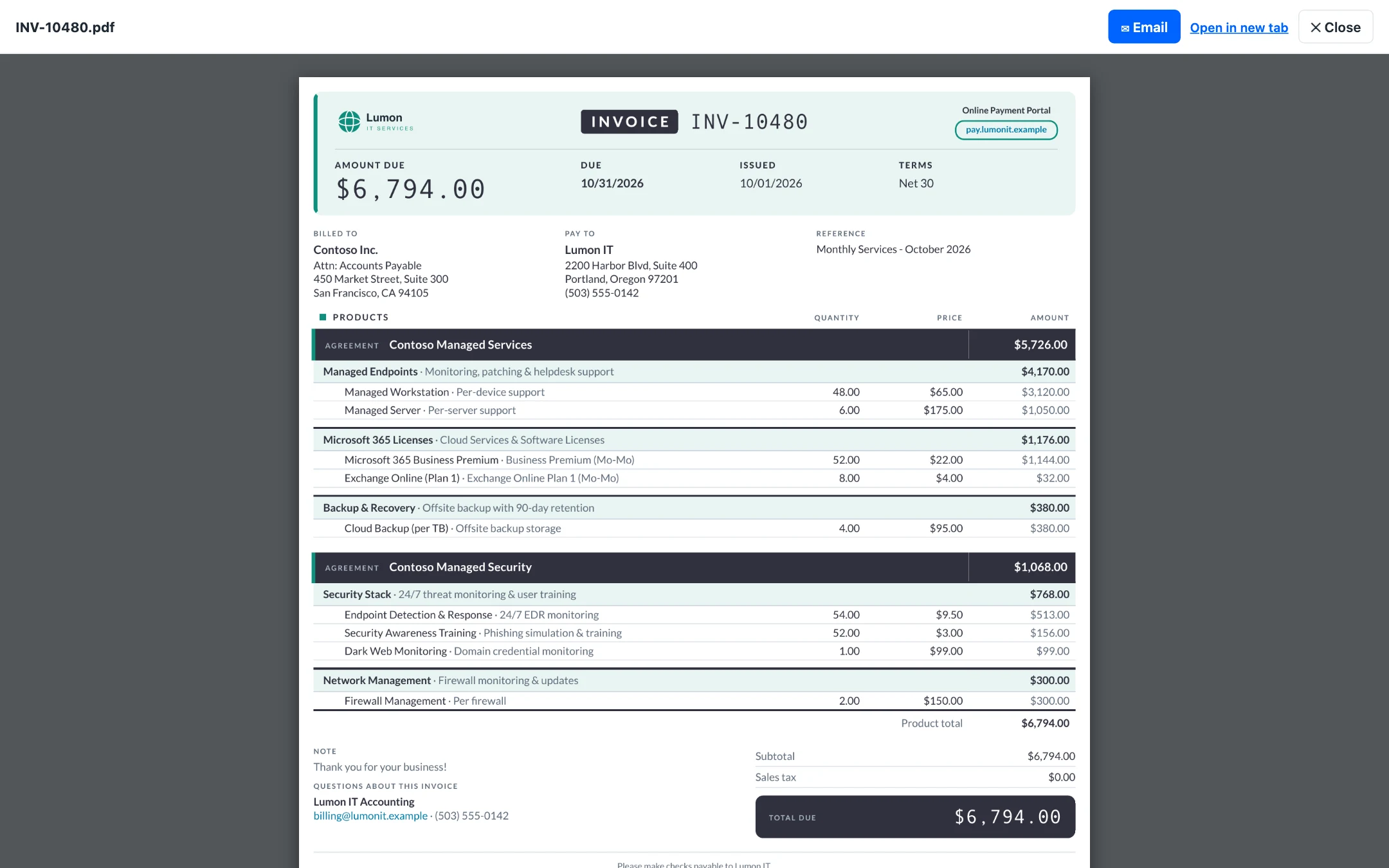
- Review. Open any invoice in the built-in viewer. It’s the same PDF your custom template produces everywhere else, so what you see is what the client gets.
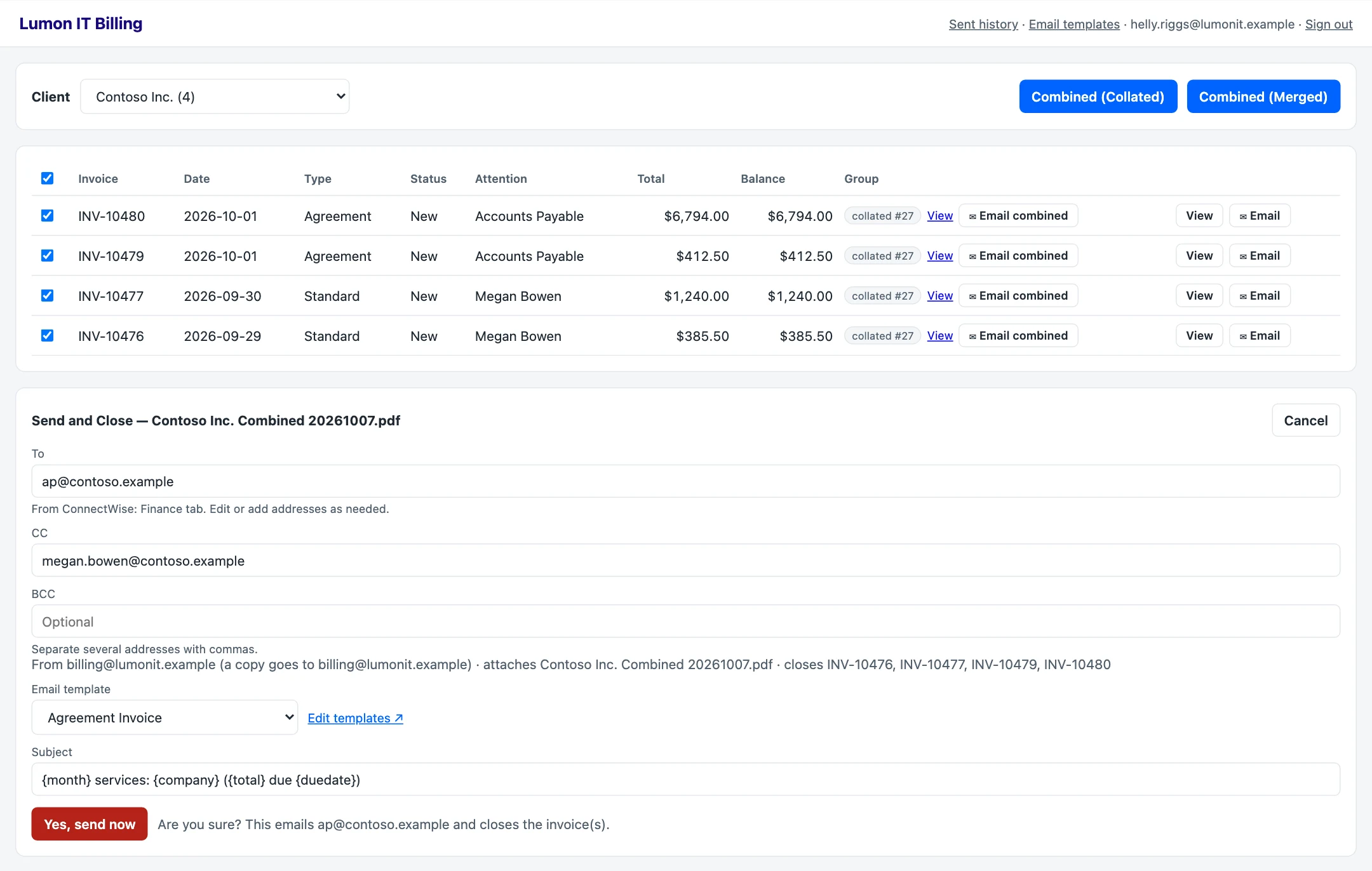
- Combine if needed. Check the invoices you want together and choose combined (collated) or combined (merged). Leave the rest as singles.
- Send and Close. Pick an email template, confirm the recipients, and send. The email goes out from your own billing mailbox, and the portal updates the invoice status in ConnectWise, for example to Closed-Emailed.
Built for Combined Invoices
Combined invoices are the main reason to use the portal. In our post on how to combine ConnectWise invoices, we talk about the tricks for dealing with them in ConnectWise since it still sees them as just a bunch of individual invoices. Many combined invoice clients still use the stock invoice screen; however the portal makes everything more intuitive, with added benefits on top.
Your billing team checks the exact invoices to combine, so there’s no status or custom field to manage, and nothing changes in ConnectWise until the email has actually been sent. The portal saves which invoices were in each combined set. If you reprint with a different selection, it updates the group so an invoice you removed doesn’t keep showing up in the old combined PDF.
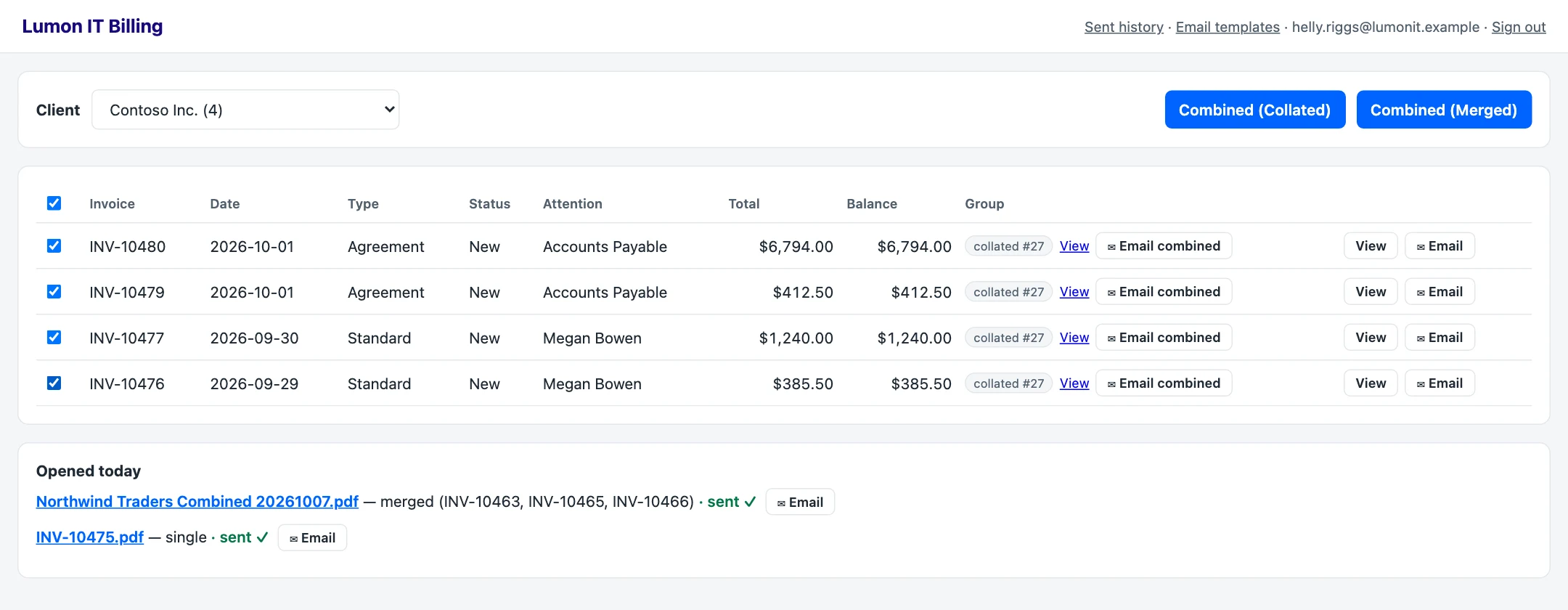
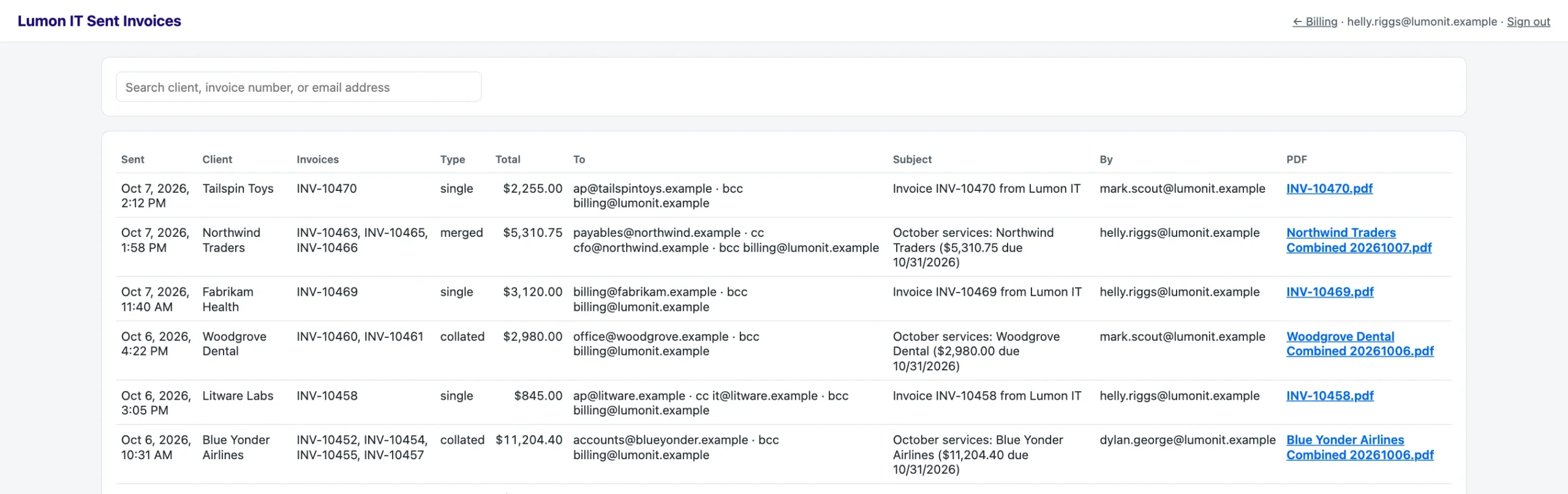
Send and Close then emails the combined PDF once and closes every invoice in the set. Every send is logged with a saved copy of the exact PDF that went out, so when a client asks for a copy of last month’s combined invoice, it’s one search away, even after the invoices have been paid and closed.
Email Templates That Go Beyond ConnectWise
For single invoices, ConnectWise’s own email works well, so the main difference is the email itself.
Similar to the baked-in ConnectWise PSA email templates, you can add variables. Unlike PSA, we can add additional variables or pull in data from other APIs. PSA templates are limited to a fixed set of variables, and they only know what’s in ConnectWise.
For example, we’ve had clients who want their invoice email to show information from their VoIP provider, like a usage summary for the month. Because our invoice engine already pulls that data for the invoice PDF, the same information can go right into the email body, so the client sees it without opening the attachment. We can build your portal to connect to whatever you need it to.
A few more things the emails can do:
- Keep several templates (standard, agreement, prepayment, credit) and edit the subject and body right in the portal, with variables like
{company},{invoices},{total}and{duedate}. Revision history is retained so you can always roll back to a previous email template. - Use recipients from ConnectWise. To and CC are suggested from the company’s billing settings, and you can change them before sending. Your billing mailbox can be BCC’d on every send automatically.
- Custom PDF filenames. Use original invoice numbers for combined invoices, add client name, date, revision number, paid flag–anything you need.
The portal doesn’t replace your invoice template or your print links. Printing from ConnectWise, or a client opening an invoice from your payment portal, works the same as before.
Customized for Your Team
Out of the box, the portal does everything above. Where it really pays off is in the details, and those can be built to fit how your team already works. Some examples of what we’ve customized for clients:
- Which email template is the default, for example the agreement template when every selected invoice is an agreement invoice.
- Wording throughout the portal to match your terminology.
- Behind-the-scenes automations that flow into the invoice emails based on ConnectWise data.
If your team has a process it likes, we’ll make the portal fit it rather than the other way around.
Wrapping Up
If you don’t combine invoices and ConnectWise’s built-in email covers what you need, stick with it. If you combine invoices, or want your invoice emails to show more than ConnectWise knows, the billing portal is an optional add-on to NexNow Hosted Invoices for ConnectWise PSA.
Book a demo and we’ll show you how it works, or connect with us on the ConnectWise subreddit or the ConnectWise University Forums.